Master the 1980s AI Photo Trend: Copy-Paste ChatGPT Prompts for Viral Retro Pictures
Social media feeds are flooded with warm, film-grained portraits that look like they were pulled directly from a 1980s family album or a classic cinema poster. The viral 1980s AI photo trend allows users to upload a modern selfie to AI image generators and instantly reimagine themselves across different eras. Generating a realistic retro portrait requires moving beyond basic requests like “make this look like the 80s.” Achieving authentic results requires specific instructions covering studio lighting, era-appropriate fashion, and analog film characteristics.
Key Ingredients for an Authentic 1980s AI Prompt
To achieve an authentic 1980s aesthetic rather than a modern digital photo with a basic filter, an AI prompt must specify several key elements:
- Identity Retention: Direct the AI to preserve facial proportions, skin tone, and key features to ensure recognizability.
- Hairstyles & Fashion: Request era-specific hair volume, feathered styles, high-waisted denim, structured blazers, or traditional period attire.
- Lighting & Photography Style: Specify warm vintage studio lighting, direct camera flash, 35mm film grain, slightly faded colors, and subtle lens focus imperfections.
- Environment: Detail retro backdrops such as single-screen cinema exteriors, vintage living rooms, or classic photo studios, explicitly prohibiting modern technology.
Copy-and-Paste ChatGPT 1980s Photo Prompts
1. The Classic 1980s Film Studio Portrait
“Transform my uploaded photo into a classic 1980s studio portrait. Keep my facial features, face shape, and identity fully recognizable. Give me authentic voluminous 1980s hair and period-appropriate formal attire. Set the image against a simple, dark studio backdrop with soft, warm portrait lighting. Add subtle 35mm film grain, slight color fading, and a natural, unpolished film texture. Make it look like a genuine photograph taken on an analog camera, avoiding modern digital filters.”
2. Vintage Retro Street Style
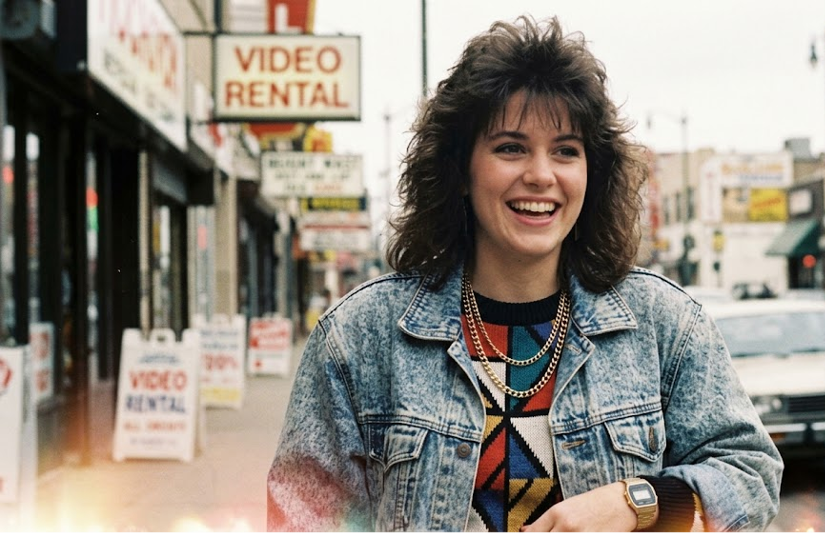
“Recreate my uploaded photo as a candid 1980s street-style photograph. Preserve my recognizable facial structure and skin tone. Style me in a vintage denim jacket over a collared shirt, aviator sunglasses, and a classic digital wristwatch. Place me on a urban street with 1980s vehicles and vintage storefronts in the background. Capture the shot in warm late-afternoon sunlight with subtle film imperfections, soft focus, and natural analog grain.”
3. Retro Cinema Star Glamour
“Transform this photo into a glamorous 1980s cinema-style portrait. Keep the person’s face and original expression unchanged. Add dramatic studio lighting, period-appropriate hair styling, bold period makeup, and statement accessories. Create a rich, cinematic backdrop reminiscent of 1980s movie promotional photography. Apply soft lens bloom, deep shadows, and subtle analog film aging to the final image.”
Tips for Refining Your AI Photo Output
If the first attempt appears too digital or significantly alters facial structure, refine the output using targeted follow-up prompts. Requesting the AI to “reduce skin smoothing,” “increase 35mm film grain,” or “soften the lighting” helps eliminate overly polished modern AI traits. Experimenting with specific color palettes and fashion items from the decade provides precise control over the final retro aesthetic.
For additional creative prompts and image generation tools, explore OpenAI’s ChatGPT or review visual styling guides on Midjourney.